You’ve just settled your baby in the cot upstairs, crept down to the kitchen, and flicked the kettle on. Then the monitor starts crackling. The video freezes. By the time you’re halfway through making a cuppa, you’ve lost the signal entirely — and you’re left standing at the bottom of the stairs, straining to hear whether that was a cry or just the cat. If this sounds familiar, you’re not alone, and the problem almost always comes down to how your baby monitor handles range and signal strength.
Most parents assume a baby monitor either works or it doesn’t. The box says “300 metres range” and your house is maybe 10 metres end to end, so it should be fine, right? Not quite. That quoted range is tested in open air with nothing between the transmitter and receiver — no walls, no furniture, no microwave running at the same time. Your actual, real-world range depends on a surprisingly long list of factors, and understanding them means the difference between a monitor you trust and one that leaves you anxious every time you leave the room.
This is everything that affects baby monitor range signal strength explained in practical terms — no jargon, no spec-sheet waffle, just what actually matters when you’re trying to keep an ear on a sleeping baby from two rooms away.
How Baby Monitor Range Actually Works
Baby monitors communicate using radio waves, and the range they achieve depends on the frequency, power output, and the type of signal they use. There are two broad categories you’ll encounter in the UK.
DECT monitors (Digital Enhanced Cordless Telecommunications) operate on the 1.88–1.9 GHz frequency band. This is the same technology your cordless home phone uses. DECT monitors are audio-only in most cases, and they’re known for reliable, interference-free connections because the frequency band is reserved — no other household devices compete for it. Typical real-world range in a house is 30–50 metres through walls.
Wi-Fi monitors use your home’s 2.4 GHz or 5 GHz network. These are the ones with app-based video feeds you can watch on your phone from anywhere. The trade-off is that they share bandwidth with every other device on your network — your laptop, smart TV, partner’s phone, the smart speaker in the kitchen. Range depends entirely on your router’s coverage, which brings its own set of problems.
Dedicated video monitors with their own receiver unit (like the BT Video Baby Monitor 6000 or Motorola VM85) use FHSS (Frequency Hopping Spread Spectrum) on the 2.4 GHz band. These hop between frequencies to avoid interference, which helps, but they’re still competing with Wi-Fi routers and other 2.4 GHz devices for airspace.
The “up to 300 metres” claim you’ll see on most boxes? That’s measured outdoors, line-of-sight, with no obstructions. Indoors, you can realistically expect a third to a quarter of that figure, sometimes less depending on your home’s construction.

The Wall Problem: Construction Materials Matter More Than Distance
This is the single biggest factor most parents don’t think about, and it makes more difference than the distance between rooms.
Every wall, floor, and ceiling your monitor signal passes through absorbs some of its energy. But how much depends enormously on what that wall is made of.
- Plasterboard/drywall (timber frame) — minimal signal loss. If your home was built after the 1980s with stud walls, signals pass through fairly easily. Expect maybe 10-15% loss per wall.
- Standard brick (single skin) — moderate loss. Most UK terraced and semi-detached houses have internal brick walls. Each one can cut signal strength by 20-30%.
- Double brick or cavity wall — heavier loss. External walls and some older internal walls fall into this category. Expect 30-50% loss per wall.
- Concrete (floors, ceilings, supporting walls) — severe loss. If you’re in a 1960s or 70s concrete-frame flat, or your house has a concrete first floor, this is likely your biggest problem. A single concrete floor can halve your signal.
- Stone walls — the worst offender. If you live in a period cottage or a converted barn, thick stone walls can block signals almost entirely. Two stone walls between monitor and receiver and you’re likely to lose connection.
- Foil-backed insulation and underfloor heating — these act as signal reflectors. Foil-backed plasterboard in particular is almost like putting a mirror in front of the signal. If your loft conversion used foil-backed insulation, that could explain why the monitor works downstairs but not in the new bedroom.
I’ve heard from parents in Victorian terraced houses who get perfect reception through three rooms on the same floor, but lose signal going up one storey because the floor is reinforced concrete from a 1970s extension. The material matters far more than the distance. For a related angle, see our Baby Monitor Battery Life: How Long Do They Last? guide.
Wi-Fi Congestion: The Invisible Traffic Jam
If you’re using a Wi-Fi baby monitor — anything that connects to your router and streams to an app on your phone — you’re sharing bandwidth with everything else in your home. And probably your neighbours’ homes too.
The 2.4 GHz band has 13 channels in the UK, but only three of them (1, 6, and 11) don’t overlap with each other. In a typical suburban street, you might have 15-20 Wi-Fi networks all fighting for those three channels. Add in Bluetooth devices, microwave ovens (yes, they leak 2.4 GHz radiation), baby monitors from neighbouring houses, and wireless doorbells, and the band gets crowded fast.
This congestion shows up as:
- Delayed video feeds — the image lags behind reality by several seconds
- Frozen frames — the picture stutters or locks up entirely
- Audio dropouts — you hear crackles, gaps, or nothing at all
- Disconnections — the app loses contact with the camera and has to reconnect
The 5 GHz band is less congested, which is why some newer monitors support it. But 5 GHz has a significant drawback: it doesn’t penetrate walls as well as 2.4 GHz. Higher frequency means shorter wavelength, which means solid objects absorb more of the signal. So you might get a cleaner connection in the same room, but worse range through walls. It’s a genuine trade-off with no perfect answer.
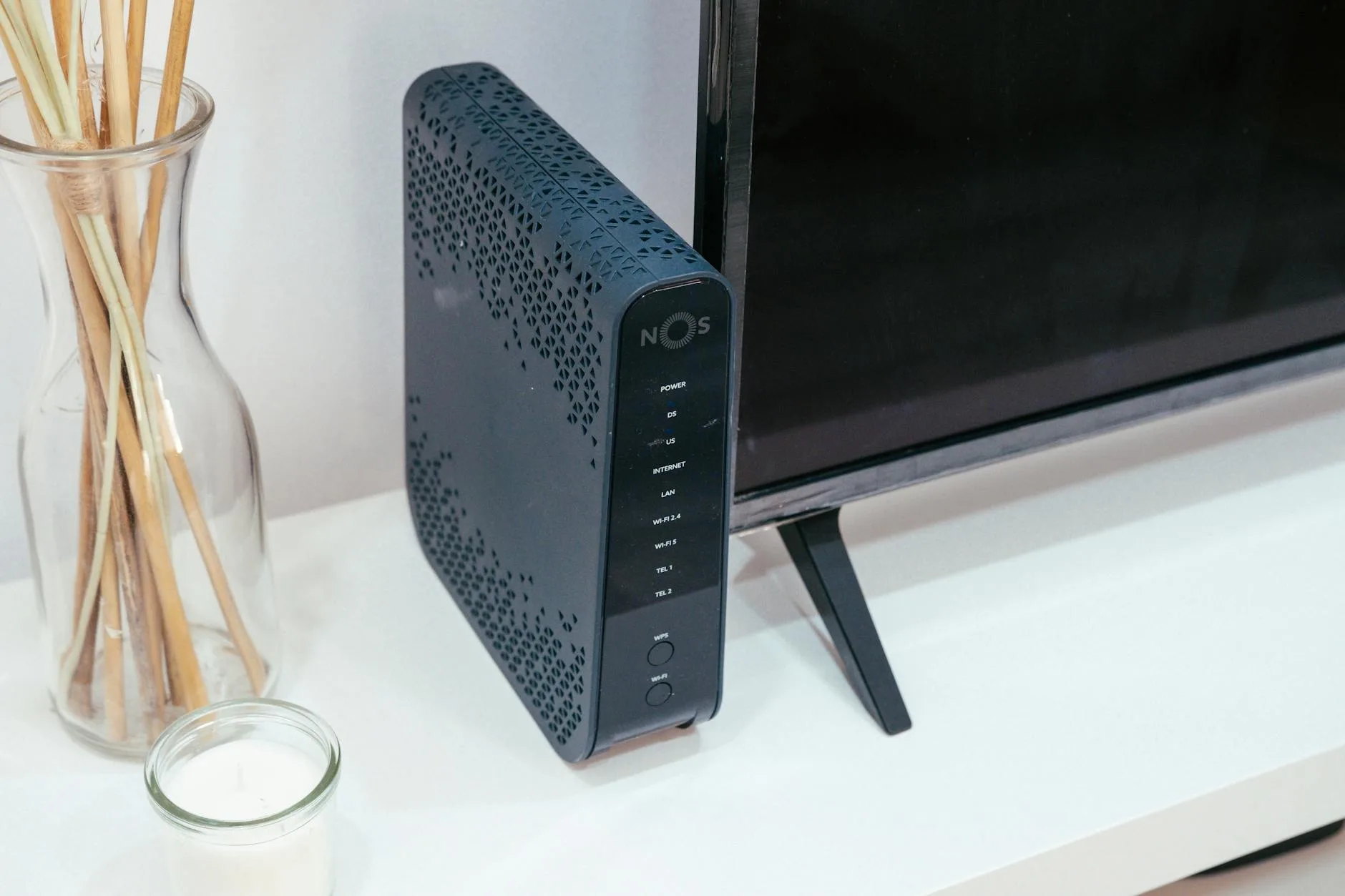
Your Router Setup Can Make or Break It
For Wi-Fi monitors, your router’s position and configuration matter as much as the monitor itself.
If your router is tucked behind the TV in the living room corner — as it is in most UK homes because that’s where the BT master socket ended up — your nursery upstairs at the back of the house might be in a weak spot. The signal has to travel through the living room ceiling, across a landing, and through another wall to reach the monitor camera. Our How to Position a Baby Monitor Camera for the Best View guide is useful alongside this.
A few things that help:
- Move the router to a central location if possible. Even shifting it from one side of a room to the middle makes a measurable difference. Some parents find that moving the router from the living room to the hallway, closer to the stairs, solves their monitor problems entirely.
- Use a mesh Wi-Fi system. Products like the BT Whole Home Wi-Fi (around £120-180 for a three-pack from Currys or Argos) or TP-Link Deco put multiple access points around your home. The nursery camera connects to whichever node is closest. This is probably the single most effective fix for Wi-Fi monitor range problems.
- Check your router’s channel. Most routers auto-select a channel, but they don’t always pick well. Apps like Wi-Fi Analyzer (free on Android) show you which channels are congested in your area. Manually setting your router to the least crowded channel can reduce interference.
- Separate your 2.4 GHz and 5 GHz networks with different names. Then connect the baby monitor to the 2.4 GHz network specifically (better wall penetration) while your phones and laptops use 5 GHz (faster, less congested).
Interference From Other Devices
Even with clear walls and a well-positioned router, other electronics in your home can disrupt your monitor’s signal.
The biggest culprits on the 2.4 GHz band:
- Microwave ovens — they operate at 2.45 GHz and leak radiation while running. If your microwave is between the monitor and receiver (or between the camera and router), expect interference every time you heat something up
- Cordless phones (non-DECT models) — older cordless phones on 2.4 GHz cause persistent interference
- Bluetooth devices — speakers, headphones, smart watches all use 2.4 GHz. One Bluetooth speaker won’t cause problems, but a room full of smart home devices adds up
- Other baby monitors — if you’re in a semi-detached or terraced house, your neighbour’s monitor might be on a similar frequency. DECT monitors handle this well (they automatically avoid occupied channels). Cheaper analogue monitors don’t
- USB 3.0 devices — this is one most people don’t know about. USB 3.0 ports and cables emit radio interference in the 2.4 GHz range. If your baby monitor camera is next to a USB 3.0 hub, try moving it
DECT monitors dodge most of these problems because they use a protected frequency band. If you live in a flat with lots of Wi-Fi congestion or a house where interference is a recurring issue, a DECT audio monitor might be more reliable than a fancy Wi-Fi video monitor that keeps dropping out.
Monitor Placement: Small Changes, Big Differences
Where you physically put the monitor camera and parent unit affects range more than most parents realise.
- Height matters. Radio signals travel better with a clear path. Placing the camera on a shelf at head height rather than on the floor beside the cot gives it a better chance of reaching the parent unit without bouncing off furniture first.
- Keep it away from metal. Metal objects reflect and absorb radio waves. A camera placed on a metal shelf, next to a metal-frame cot, or near a radiator will have reduced range compared to one on a wooden shelf.
- Distance from the cot. The camera needs to be 1-2 metres from the cot for a good picture, but it also needs to be positioned to maximise signal path to the receiver. Don’t tuck it in a corner behind the cot if the door (and therefore the signal path to the rest of the house) is on the opposite wall.
- The parent unit position. If you’re using a dedicated receiver, keeping it in the middle of the house rather than at the far end extends effective range. Carrying it to the garden shed at the bottom of a 30-metre garden while the camera is in a back bedroom through three walls? That’s pushing most monitors beyond their limits.
The Lullaby Trust recommends keeping baby monitors at least one metre from the cot to avoid cord strangulation risks and to reduce your baby’s exposure to radio waves — so factor safety into placement as well as signal strength.
DECT vs Wi-Fi vs FHSS: Which Technology Gets the Best Range?
Each technology has a different range profile, and the best choice depends on how you plan to use the monitor.
DECT (audio monitors) Best for: reliable audio in a UK home without fuss. Range is consistent and predictable — around 30-50 metres indoors through typical brick walls. No setup required, no Wi-Fi dependency. The BT Audio Baby Monitor 450 (about £40-50 from Argos) is a solid example. Downsides: no video, and range is fixed — you can’t extend it with mesh networks.
FHSS (dedicated video monitors with a receiver) Best for: parents who want video without relying on Wi-Fi. The Motorola VM85 (around £120-150 from Amazon UK or John Lewis) and BT Video Baby Monitor 6000 (about £100-130) are popular choices. Real-world range is typically 20-40 metres indoors. The frequency hopping helps avoid interference, but these monitors still share the 2.4 GHz band with everything else. If your home is small to medium-sized, they work well. In a larger property, you might hit limits. We cover a similar decision in How to Use a Baby Monitor as a White Noise Machine.
Wi-Fi (app-based video monitors) Best for: flexibility. You can check on your baby from anywhere — the office, a restaurant, grandma’s house. Range within the home equals your Wi-Fi coverage, which you can extend with mesh systems or repeaters. The Tapo C210 (about £25-30 from Amazon UK) is a budget favourite, while the Arlo Baby (around £120-160) is a premium option. The downside is dependence on your broadband connection and router — if the internet goes down or your Wi-Fi is congested, the monitor goes with it.
For most UK homes — a three-bed semi or terraced house — any of these technologies will work if positioned sensibly. Where it gets tricky is larger homes, thick-walled period properties, or flats with concrete construction. In those cases, either a DECT audio monitor (for reliability) or a Wi-Fi video monitor with a mesh network (for range extension) tends to be the best approach.
Troubleshooting Weak Signal: A Practical Checklist
If your monitor keeps dropping out, work through these steps before assuming the monitor is faulty:
- Check what’s between the camera and receiver. Count the walls and floors. If there’s concrete or stone in the path, that’s likely your problem — reposition the camera or receiver to reduce the number of solid barriers.
- Switch off the microwave and see if it improves. If it does, you’ve found your interference source. Move the monitor camera or receiver away from the kitchen.
- Test at different times of day. Wi-Fi congestion peaks in the evening when everyone’s streaming. If your monitor works fine at lunchtime but drops out at 8pm, congestion is the issue.
- Check for firmware updates. Wi-Fi monitors occasionally get updates that improve connectivity. Check the manufacturer’s app or website.
- Try a different Wi-Fi channel. Log into your router (usually 192.168.1.1 or 192.168.0.1) and manually set the channel to 1, 6, or 11 — whichever is least used in your area.
- Consider a Wi-Fi extender or mesh system. If your nursery is in a Wi-Fi dead spot, a single mesh node (around £40-60) placed on the landing can transform coverage.
- Factory reset the monitor. Sometimes the pairing between camera and receiver gets corrupted. A reset and fresh pairing can resolve unexplained dropouts.
If none of that works and you’re within the return window, it might be worth trying a different technology altogether. A parent who’s had nothing but problems with a Wi-Fi monitor in a thick-walled cottage might find a DECT audio monitor works flawlessly — and costs a fraction of the price.
Does Baby Monitor Range Really Matter That Much?
For most UK homes, yes — but perhaps not in the way you’d think. The raw range figure on the box is almost meaningless. What matters is whether the signal can reliably reach from the nursery to wherever you spend your evenings, through whatever walls and floors are in the way.
If you’re setting up a nursery and also getting the rest of your baby gear sorted — perhaps looking at how to choose the right car seat or comparing the latest pushchairs — the monitor is one of those things worth getting right early. A reliable monitor means you can actually relax when the baby’s asleep, rather than hovering outside the nursery door.
The best approach is simple: buy from a retailer with a good returns policy (John Lewis gives you two years, Argos makes returns easy within 30 days), test the monitor thoroughly in your actual home, and if it doesn’t hold a signal where you need it, swap it for a different type rather than assuming all monitors are unreliable. The technology works — it’s just a question of matching the right type to your home.
Frequently Asked Questions
How do I choose between similar baby products? Start with safety standards, fit for your space and how easy it is to clean. Nice extras matter only after those basics are covered.
Is it worth paying more for baby gear? Pay more for items used daily or safety-critical kit. For short-lived accessories, a reliable mid-range option is usually enough.
What should I check before buying? Check age and weight limits, return policy, cleaning instructions and whether the product fits your home, car or pushchair setup.
What should I check first with Baby Monitor Range Explained: What Affects Signal Strength?? Start with the real use case, then check size, compatibility, running costs and maintenance. A product that looks good on paper can still be the wrong fit if it does not suit the room, routine or budget.
How do I avoid wasting money on Baby Monitor Range Explained: What Affects Signal Strength?? Avoid buying on one headline feature alone. Compare the practical details, read the warranty or returns terms, and choose the option that solves your main problem rather than the one with the longest specification list.