It’s 2am and you’re lying in bed staring at the ceiling, straining to hear whether your baby is breathing. You could get up and check — for the fourth time — or you could look at your phone and see their breathing rate, movement patterns, and room temperature all in one place. That’s what smart baby monitors with breathing and movement tracking promise, and after testing several over the past two years with our own kids, we can tell you which ones actually deliver.
The technology has come a long way from those grainy video feeds and one-way audio units. Modern smart monitors use under-mattress sensors, wearable socks, and camera-based AI to track your baby’s breathing and movement without touching them. But not all of them work equally well — and some create more anxiety than they solve.
In This Article
- How Breathing and Movement Tracking Works
- Sensor Pad vs Wearable vs Camera-Based Tracking
- Best Smart Baby Monitors with Breathing Tracking: Our Picks
- What to Look For When Buying
- Setting Up Your Smart Monitor Properly
- False Alarms: The Reality
- Smart Monitors and Safe Sleep Guidelines
- Connectivity and App Experience
- Battery Life and Charging
- Are Smart Baby Monitors Worth the Extra Cost?
- Frequently Asked Questions
How Breathing and Movement Tracking Works
Smart baby monitors use one of three main technologies to detect your baby’s breathing and movement. Each has trade-offs, and understanding them helps you pick the right one for your setup.
Piezoelectric Sensor Pads
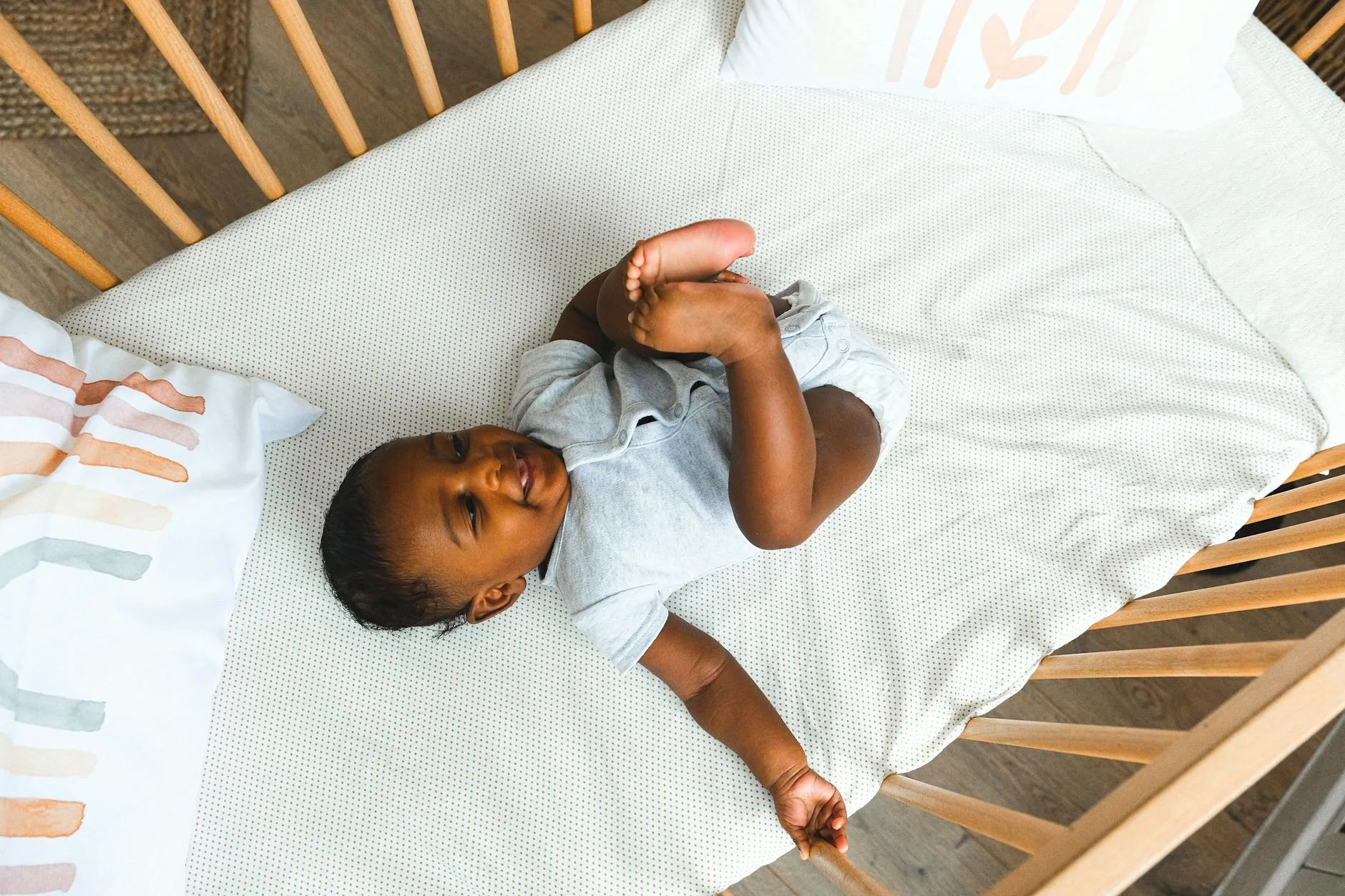
These thin pads sit under the cot mattress and detect the tiny vibrations caused by your baby’s breathing. The Angelcare AC527 and Babysense 7 use this approach. The sensor is sensitive enough to pick up chest movement through a standard cot mattress, and it triggers an alarm if no movement is detected for 20 seconds.
The advantage is zero contact with your baby — nothing to wear, nothing to charge overnight, nothing that might shift during sleep. The downside is that thick or very firm mattresses can reduce sensitivity, and some parents report false alarms when the baby rolls to the edge of the pad’s detection zone.
Wearable Devices
The Owlet Dream Sock and Snuza Hero are the best-known wearables. They clip to your baby’s nappy or wrap around their foot and use pulse oximetry (for the Owlet) or direct motion detection (for the Snuza) to track breathing.
Wearables tend to be more accurate because they’re measuring directly from the baby’s body. But they need charging, your baby might kick them off, and there’s the faff of putting them on every night. The Owlet sock in particular divides parents — those who love it swear by it, while others find the constant data anxiety-inducing.
Camera-Based AI Tracking
The Miku Pro and Nanit Pro use camera analysis to detect breathing patterns from video. No pads, no wearables — the camera watches your baby’s chest rise and fall and reports breathing rate through the app.
This sounds futuristic but it works surprisingly well in practice. We used the Nanit Pro for six months and the breathing detection was consistent. The catch is that it needs a clear, unobstructed view of your baby’s chest, which means swaddled babies or those who sleep face-down can cause gaps in tracking.
Sensor Pad vs Wearable vs Camera-Based Tracking
Each technology suits different families, and there’s no single best option.
Sensor Pads: Best For
- Parents who want zero contact — nothing touches the baby
- Families on a budget — the Babysense 7 costs about £100
- Co-sleeping in a cot — works with any sleeping position
- Multiple children — the pad stays in the cot, no device to transfer
Wearables: Best For
- Anxious first-time parents wanting the most data (heart rate, oxygen levels with Owlet)
- Premature babies or those with known respiratory conditions — your paediatrician may specifically recommend monitoring
- Travel — wearables work anywhere, sensor pads need a cot
Camera-Based: Best For
- Tech-minded parents who want breathing data without anything physical
- Parents who already want a top-tier video monitor — the Nanit and Miku double as excellent cameras
- Homes with strong Wi-Fi — camera-based tracking needs reliable connectivity
Best Smart Baby Monitors with Breathing Tracking: Our Picks
Best Overall: Angelcare AC527
The Angelcare is the monitor we recommend to most parents. The under-mattress sensor pad is reliable, the 4.3-inch parent unit has a clear screen, and the whole system costs about £130-160 from Amazon UK or John Lewis.
What makes it stand out is the balance between features and simplicity. You don’t need an app, don’t need Wi-Fi, and don’t need to charge a wearable. The sensor pad goes under the mattress, the camera clips to the cot rail, and you’re done. Movement alerts come through the parent unit — no smartphone required.
We used the AC527 for eight months and had exactly two false alarms, both when the baby had rolled completely off the sensor pad. For the price, nothing else comes close.
Best Wearable: Owlet Dream Sock
If you want the most detailed data, the Owlet Dream Sock (about £260-300 from Amazon UK or the Owlet website) tracks heart rate, blood oxygen levels, and sleep patterns through a sensor in a fabric sock.
The app experience is excellent — clean graphs showing sleep trends, real-time heart rate, and oxygen saturation. It connects via Bluetooth to a base station, which then connects to Wi-Fi for app access. The sock fits babies from birth to 18 months (or 12kg, whichever comes first). For a related angle, see our Best Video Baby Monitors 2026: Screen vs App-Based Compared guide.
The reality check: the Owlet is not a medical device, and the data it provides shouldn’t replace medical advice. But for parents who find comfort in data — and who won’t spiral into anxiety over every tiny fluctuation — it’s remarkable technology. Worth noting that the sock needs charging every 16 hours, so you’ll develop a routine of plugging it in during the morning nap.
Best Camera-Based: Nanit Pro
The Nanit Pro (about £250-300 from John Lewis or Amazon UK) is the best camera monitor you can buy, and the breathing detection is an impressive bonus. The camera mounts overhead on a floor stand or wall mount and uses computer vision to detect breathing motion from your baby’s chest.
The video quality is outstanding — 1080p with excellent night vision. The app shows breathing rate as a gentle wave pattern, and you can see at a glance whether your baby is breathing normally. It also tracks sleep quality, room temperature, and humidity.
The subscription model is the downside. Basic features work without a subscription, but sleep insights and breathing wear band tracking (a strip you put on the swaddle for more accurate breathing detection) require a Nanit Insights plan at about £8/month or £80/year.
Best Budget: Babysense 7
At about £90-110 from Amazon UK, the Babysense 7 is the most affordable breathing monitor worth buying. It’s a sensor-pad-only system — no camera, no app, no video. Just a pad under the mattress and an alert unit that beeps if no movement is detected for 20 seconds.
This is a movement monitor in its purest form. No data, no graphs, no subscription. It either detects movement or it doesn’t, and it tells you if it doesn’t. For parents who find the data overload of smart monitors stressful, this simplicity is a feature, not a limitation.
Best for Travel: Snuza Hero SE
The Snuza Hero SE (about £80-100 from Boots or Amazon UK) clips directly to your baby’s nappy and detects abdominal movement. No base station, no Wi-Fi, no app — it’s entirely self-contained.
It vibrates gently after 15 seconds of no movement (which often stimulates the baby to move), then sounds an audible alarm after 5 more seconds. The battery lasts about a year on a single CR2 cell, so there’s no charging to forget.
We took the Snuza on a two-week holiday to Portugal and it was brilliant — worked in the travel cot, the hotel cot, and even in the pushchair bassinet. Just clip it on and forget it.
What to Look For When Buying
Sensitivity and Accuracy
The whole point of breathing monitoring is reliable detection. Look for monitors with adjustable sensitivity settings — too sensitive means constant false alarms, too low means missed detections. The Angelcare and Babysense both allow sensitivity adjustment, which is useful if your cot mattress is particularly thick. Our Wi-Fi vs Non-Wi-Fi Baby Monitors: Security and Reliability guide is useful alongside this.
Alert Speed
How quickly does the monitor alert you when it detects no movement? The industry standard is 20 seconds, which is what the Angelcare, Babysense, and Owlet use. The Snuza uses a two-stage system — vibration at 15 seconds, alarm at 20 seconds. Don’t buy anything that takes longer than 20 seconds.
False Alarm Rate
Every breathing monitor will produce false alarms occasionally. The question is how often. Based on reviews from UK parents and our own experience, the Angelcare and Babysense produce the fewest false alarms with sensor pads. Wearables like the Owlet can false-alarm when the sock shifts, and camera-based systems struggle when the baby is swaddled or under thick blankets.
Compatibility with Your Cot
Sensor pads need a firm, flat cot mattress. If your cot has a slatted base, check that the pad sits flat and doesn’t sag between slats — some parents put a thin board under the mattress to create an even surface. If you’re using a co-sleeper or bedside crib, check compatibility before buying, as some have curved or non-standard mattress shapes.
Setting Up Your Smart Monitor Properly
Sensor Pad Placement
- Place the pad directly on the cot base, centred under where your baby’s torso will be
- Put the mattress on top — the pad should be flat with no wrinkles or folds
- Test before first use: place a small object (like a heavy book) on the mattress, wait for detection, then remove it to trigger the alert
- Re-test monthly to make sure the sensor hasn’t shifted
Camera Positioning
- Mount the camera at least 1 metre above the mattress surface for breathing detection to work
- Angle it directly downward — the Nanit floor stand does this automatically, wall mounts need careful positioning
- Ensure nothing obstructs the view of your baby’s chest area
- Check the live feed at night — some pyjamas with busy patterns can confuse the AI breathing detection
Wearable Fitting
- Follow the manufacturer’s sizing guide precisely — too loose and it slips, too tight and it’s uncomfortable
- Place on the correct foot (the Owlet specifies left foot for the sensor position)
- Check the fit after 10 minutes — babies’ feet are surprisingly slippery
- Replace the sock when your baby outgrows it — using a too-small sock affects accuracy
False Alarms: The Reality
No breathing monitor is false-alarm-free. Understanding what causes them helps you react calmly instead of panicking.
Common False Alarm Triggers
- Baby rolling off the sensor pad — the most common cause with pad-based systems
- Wearable shifting position — especially with active sleepers who kick
- Thick or multi-layered mattress dampening vibrations for pad sensors
- Swaddling or heavy sleepsuits blocking camera-based detection
- Low battery on wearable devices causing erratic readings
- Wi-Fi drops interrupting camera-based systems
How to Reduce False Alarms
- Position the sensor pad carefully — centred under the baby’s chest, not their legs
- Use a firm, single-layer mattress — exactly what safe sleep guidelines recommend anyway
- Keep wearables charged — make morning charging part of your routine
- Set sensitivity appropriately — start at medium and adjust based on your experience
- Don’t add extra mattress toppers — they muffle the sensor pad and aren’t recommended for safe sleep reasons
When a False Alarm Isn’t False
If your monitor alerts and your baby genuinely isn’t breathing or moving, that’s exactly what it’s designed for. But the Lullaby Trust is clear that no monitor — however smart — is a substitute for safe sleep practices. Monitors detect problems; they don’t prevent them.
Smart Monitors and Safe Sleep Guidelines
It’s worth being direct about this: the NHS and the Lullaby Trust do not recommend relying on breathing monitors to prevent SIDS. Their position is that safe sleep practices — back sleeping, clear cot, room sharing for six months, firm mattress, room temperature between 16-20°C — are the evidence-based way to reduce risk.
That said, many parents find breathing monitors provide reassurance, especially in the early months. The key is using them alongside safe sleep practices, not instead of them.
If you’re setting up your nursery and thinking about temperature monitoring too, our guide to safe room temperatures for baby sleep covers the NHS guidelines in detail.
What Monitors Can and Can’t Do
- Can: Alert you if your baby stops moving for 20+ seconds
- Can: Track breathing rate trends over time (Owlet, Nanit)
- Can: Give you peace of mind when your baby transitions to their own room
- Can’t: Prevent SIDS or breathing emergencies
- Can’t: Replace the ABCs of safe sleep (Alone, Back, Cot)
- Can’t: Provide medical-grade monitoring (they’re consumer devices, not hospital equipment)
Connectivity and App Experience
Wi-Fi vs Local Connection
Some smart monitors need Wi-Fi for all features (Nanit, Miku), while others work locally with optional Wi-Fi (Angelcare AC527, Owlet). If your nursery has weak Wi-Fi signal, a locally-connected monitor is more reliable — the last thing you want is your breathing alerts depending on your router.
App Quality Matters
The Owlet and Nanit apps are excellent — clean design, useful data visualisation, and reliable notifications. The Angelcare app (available with some models) is functional but less polished. The Babysense 7 doesn’t have an app at all, which some parents actually prefer.
For a broader comparison of app-connected vs standalone monitors, our baby monitor buying guide covers the full range from basic audio to top-end smart cameras.
Data Privacy
Your baby’s breathing data, sleep patterns, and nursery video are sensitive information. Before buying, check:
- Where is data stored? Cloud servers (Nanit, Owlet) or locally (Babysense, Angelcare parent unit)?
- Can you delete your data? All reputable brands offer account deletion
- Who has access? Check the privacy policy for third-party sharing
- Is the camera feed encrypted? Nanit and Owlet both use AES-256 encryption
Battery Life and Charging
Sensor Pads
The Angelcare and Babysense sensor pads run on mains power — no battery worries. The sensor itself is passive and doesn’t need independent power. The parent unit (Angelcare) or alert unit (Babysense) plugs into a wall socket.
Wearables
- Owlet Dream Sock: About 16 hours per charge — enough for one overnight session with margin. Charges in 90 minutes via the base station
- Snuza Hero SE: Uses a CR2 battery lasting about 12 months. No charging needed — just replace the battery annually (about £3)
Camera Monitors
The Nanit Pro and Miku Pro both need permanent mains power for the camera unit. The Nanit floor stand has an integrated cable channel that keeps things tidy. If your cot is far from a power socket, you’ll need an extension lead — and make sure cables are completely out of reach of the cot.
Are Smart Baby Monitors Worth the Extra Cost?
A basic audio monitor costs about £25-40. A standard video monitor runs £60-120. Smart monitors with breathing tracking start at £90 (Babysense 7) and go up to £300+ (Owlet + camera combos).
When They’re Worth It
- First baby — the anxiety is real, and breathing monitors help many parents sleep
- Premature or medically vulnerable babies — your GP or neonatal team may recommend one
- Transitioning baby to their own room — the reassurance is valuable when you can’t hear every breath
- Anxious parents who would otherwise check the baby every 30 minutes all night — the monitor checks for you
When They’re Not Worth It
- Second or third baby — many experienced parents feel confident without breathing tracking
- Budget is tight — a basic video monitor plus firm safe sleep practices is perfectly adequate
- Data makes you more anxious — if you’d obsess over every heart rate fluctuation, the Owlet might do more harm than good
- Your baby sleeps in your room — if you can hear them breathing, a breathing monitor adds little
For a wider look at all monitor types including audio-only and standard video options, check our guide to baby monitor range and signal strength.
Frequently Asked Questions
Do breathing monitors prevent SIDS? No. The NHS and the Lullaby Trust are clear that no consumer monitor prevents SIDS. Breathing monitors can alert you if your baby stops moving, but they don’t prevent the event. Safe sleep practices — back sleeping, clear cot, firm mattress, room sharing for six months — are the evidence-based prevention measures.
How accurate are baby breathing monitors? Under-mattress sensor pads like the Angelcare and Babysense are highly reliable when properly positioned on a firm mattress. Wearables like the Owlet are accurate for heart rate and oxygen trends but aren’t medical-grade devices. Camera-based systems like the Nanit work well when the baby’s chest is visible but struggle with swaddled or face-down babies.
What age can you stop using a breathing monitor? Most parents stop between 6-12 months, often coinciding with their baby starting to roll and move independently. The risk of SIDS peaks between 2-4 months and decreases after 6 months. There’s no strict age limit — stop when you feel confident, but the wearable monitors (Owlet sock, Snuza) have physical size limits around 18 months.
Do smart baby monitors need Wi-Fi? Not all of them. The Babysense 7 and Snuza Hero work without any Wi-Fi. The Angelcare AC527 works locally between the sensor pad and parent unit without Wi-Fi, though some features use an optional app. The Nanit Pro and Owlet Dream Sock need Wi-Fi for full functionality including app access and breathing data.
Are Owlet monitors available in the UK? Yes. The Owlet Dream Sock is available in the UK from Amazon, the Owlet website, and some retailers like John Lewis. The older Owlet Smart Sock 3 was pulled from the US market temporarily due to FDA concerns in 2021, but the Dream Sock (launched 2022) is classified as a wellness product and is sold in the UK without restriction.